How to Check an Existing Order and Shipping Information After an Overseas Shopping Mall Closes
Finding Your Order Details When the Storefront Is Gone
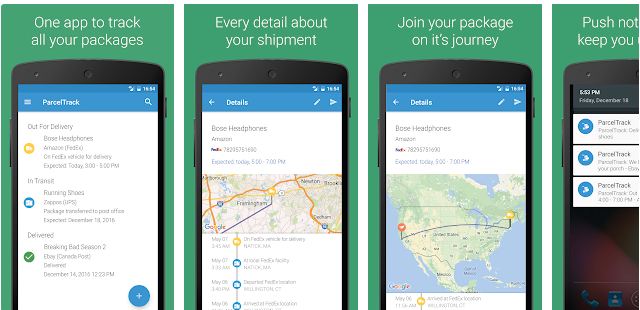
When an overseas shopping mall closes, your first concern is likely whether you can still access your order history and shipping updates. The storefront itself may be offline, but the company behind it often maintains backend systems for existing customers for some period afterward. Start by checking the email address you used during checkout. Most retailers send order confirmation emails, shipping notifications with tracking numbers, and any delay or closure announcements directly to that inbox. Searching for the store name, your order number, or terms like "shipping confirmation" and "tracking" is a reasonable way to pull up the relevant messages. If you find a tracking number, pasting it directly into the carrier's own website — UPS, FedEx, DHL, or the relevant local postal service — generally lets you see the latest status without needing the store's own portal at all.
If your email search turns up nothing useful, look for any account-related messages from the store instead. Some merchants send account creation confirmations or password reset emails that include your customer ID or an order reference number. Even if the login page itself is gone, these identifiers can still help when contacting customer support later. It's also worth checking your spam or promotions folder, since automated shipping notifications sometimes land there rather than the main inbox. If you saved the store's URL before it went offline, trying it now is worth a shot too — some closed sites redirect to a support page, or to a parent company's site that continues processing inquiries for existing orders for a while after closure.
Contacting Customer Support After the Website Shuts Down
If your email doesn't contain enough information, reaching the company directly is the next step. Look for a customer support email address in your old order confirmation, or on the store's social media profiles if those are still active. Many overseas retailers maintain a dedicated support inbox for some months even after closing the storefront itself, though how long this lasts varies considerably and isn't something to count on indefinitely. When you write, including your full name, the email address used at checkout, the order number if you have it, and the purchase date generally helps the support team locate your record faster. Mentioning the last known status of the order — shipped, in transit, or still pending — is also worth including. Response times may run slower than usual during a closure period, so some patience is generally warranted.
If the company doesn't reply to email, checking its social media pages for any closure announcement is a reasonable next step. Some brands post a final notice with a support hotline or point customers toward a third-party service handling outstanding orders. In some cases, a merchant may have transferred fulfillment to a logistics partner or a parent company entirely — searching the store name plus "customer service" or "order help" can turn up whatever official contact information still remains active. It's worth avoiding unofficial forums or message boards for anything containing your order number or personal details, since those channels generally aren't secure.
Using Payment Records to Trace Your Order
Your payment method can serve as a genuinely useful backup when the store's own systems are inaccessible. Logging into your bank account, credit card portal, or PayPal account and locating the relevant transaction is a good starting point. The payment record usually shows the merchant name, transaction date, and amount. In PayPal specifically, you can often see a transaction ID and sometimes a note from the seller with a tracking number or a link to the order page. For credit card charges, the merchant descriptor sometimes includes a support phone number or email address. Writing down the transaction ID and the exact merchant name as it appears on your statement is worth doing early, since this information tends to be needed if you end up filing a dispute later.
If the order was shipped but never arrived, your payment record also gives you a useful timeline. Comparing the transaction date against the estimated delivery window from the store's original confirmation can help you judge whether enough time has passed to raise real concern. If it has, contacting your bank or card issuer and explaining that the merchant closed without fulfilling the order is a reasonable next step, along with providing the transaction ID, purchase date, and any proof of the store's closure you can gather, such as a screenshot of the now-offline website. Dispute windows do vary somewhat by card network and payment processor, but the major card networks (Visa, Mastercard, Amex, and Discover) generally allow up to around 120 days from the transaction or expected delivery date, while PayPal's own buyer protection window tends to run longer, up to around 180 days — either way, it's worth confirming the exact current window with your specific issuer rather than assuming, and acting sooner rather than later if your order is genuinely missing.
Checking Carrier and Logistics Portals Directly
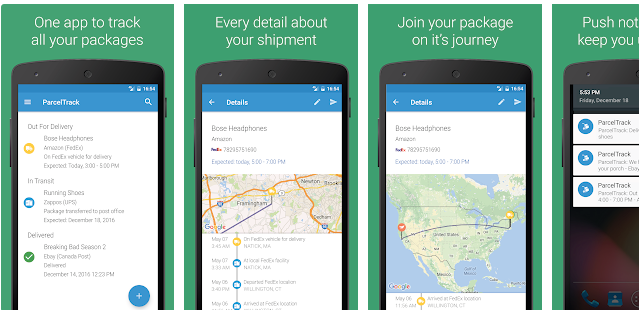
ven without the store's website, the shipping carrier generally holds the most current information about your package. If you have a tracking number from an email or payment record, going directly to the carrier's official tracking page and entering it lets you see the latest scan event — whether the item is in transit, held at a local facility, or already delivered. Some carriers also provide delivery photos or a signature record confirming receipt. If tracking shows "delivered" but you never actually received the package, checking with neighbors, your building's mailroom, or the carrier's local depot is worth doing before assuming it's genuinely lost.
If you don't have a tracking number at all, contacting the carrier using the sender's address and your own address is worth trying. Major carriers like FedEx, UPS, and DHL can often search for a shipment using the sender's name and destination zip code, which tends to work best when the store shipped under a recognizable company name. For smaller overseas shippers, the package may have transferred to a local postal service partway through transit. In that case, checking whether your tracking number follows the international UPU S10 format — an official postal standard consisting of two letters, nine digits, and a final two-letter country code identifying the originating postal service — can help you enter it correctly on your national postal service's own tracking page. If the package hasn't moved for several weeks, the carrier may consider it lost, at which point requesting a formal investigation or claim is a reasonable next step.